The 10 best interactive content tools for 2024 [With real reviews]
![The 10 best interactive content tools for 2024 [With real reviews]](/_next/image/?url=https%3A%2F%2Fimages.ctfassets.net%2F9fispija9xqh%2F32PqEGec4Wl4JFZi04RvPt%2F84366ad7113011154482a3e6d80d9a25%2F87968733-30f0-4369-b578-d5d9334b9747.png&w=3840&q=75)
Choosing an interactive content tool gets easier when you can compare prices, features, and real user reviews side by side. Here are ten tools, from Ceros to ThingLink to Outgrow, matched to the use cases they handle best.
BY Mary Mattingly
July 23rd 2024 – 10 min read
GUIDES & TOOLS


The 10 best interactive content tools for 2024 [With real reviews]
Best interactive content tools: Comparison table
Before you meet the top contending interactive content tools, here’s a sneak peek into their profiles.
You’ll find their prices alongside the major features that got them into the limelight.
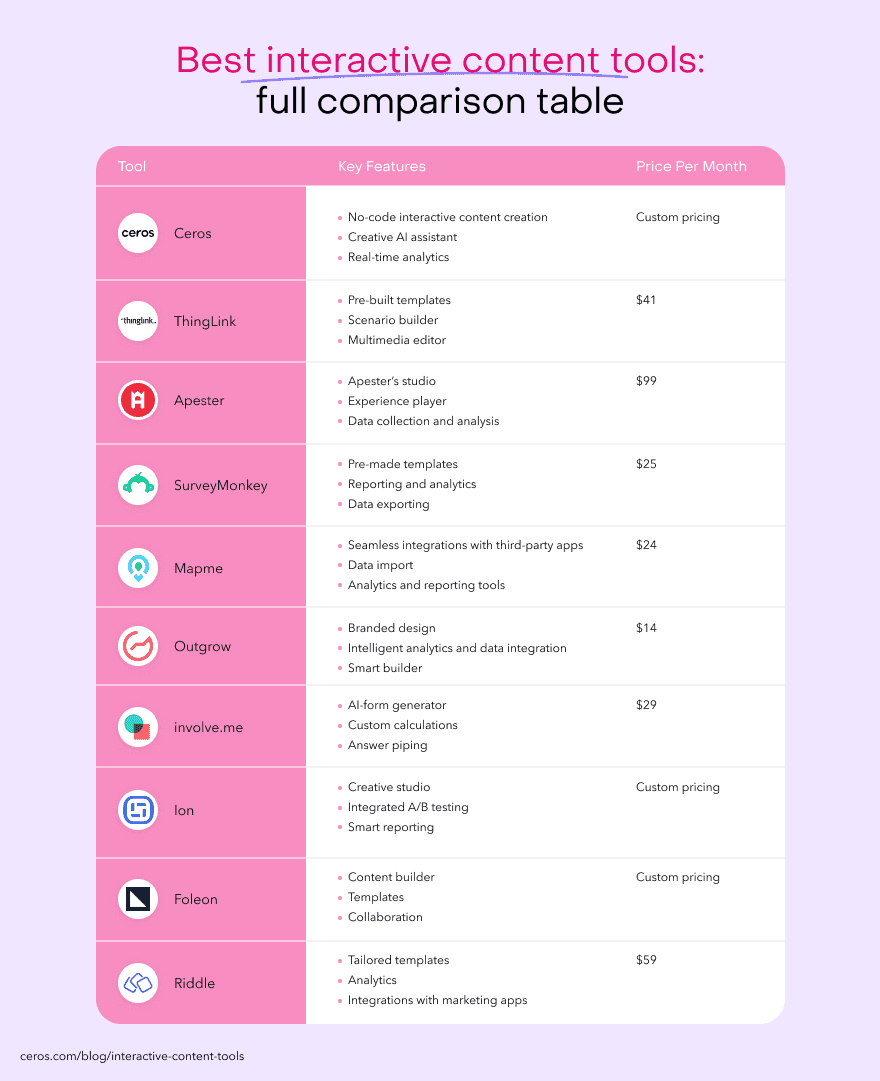
Has anyone caught your eye yet?
They’re all great contenders, but maybe you need some additional information to get the ball rolling.
If that’s the case, we got you!
In the next section, you’ll see what makes these top contenders the best of the best in interactive content.
Before you meet the top contending interactive content tools, here's a sneak peek into their profiles. If you'd rather see finished work first, these interactive website examples are a good place to start.
Best interactive content tools by use case
So, you’ve seen some features of these tools.
But now you’re wondering, “Is this right for me? Which of them can I use?”
To help you answer that, let’s take a quick look at what they’re good at.
Ceros — Best for improving and scaling the content creation process.
ThingLink — Best for versatile interactive image and video creation.
Apester — Best for engaging content that boosts social media sharing.
SurveyMonkey — Best for surveys and quizzes with data collection.
Mapme — Best for building interactive maps with data input.
Outgrow — Best for interactive quizzes and lead generation forms.
involve.me — Best online form builder.
Ion — Best for creating interactive content for capturing high-intent lead data.
Foleon — Best in designing engaging interactive content formats.
Riddle — Best for interactive quizzes for user engagement.
Again, they’re all great options and if any of them stood out for you, that’s amazing.
Now, let’s have a more in-depth look at them.
Starting with our very own favorite…
Tool #1: Ceros
Oh, Ceros.
A tool that could be to you what Jarvis is to Tony Stark.
This comprehensive platform is designed to streamline your content creation workflow and empower you to scale your interactive content creation like never before.
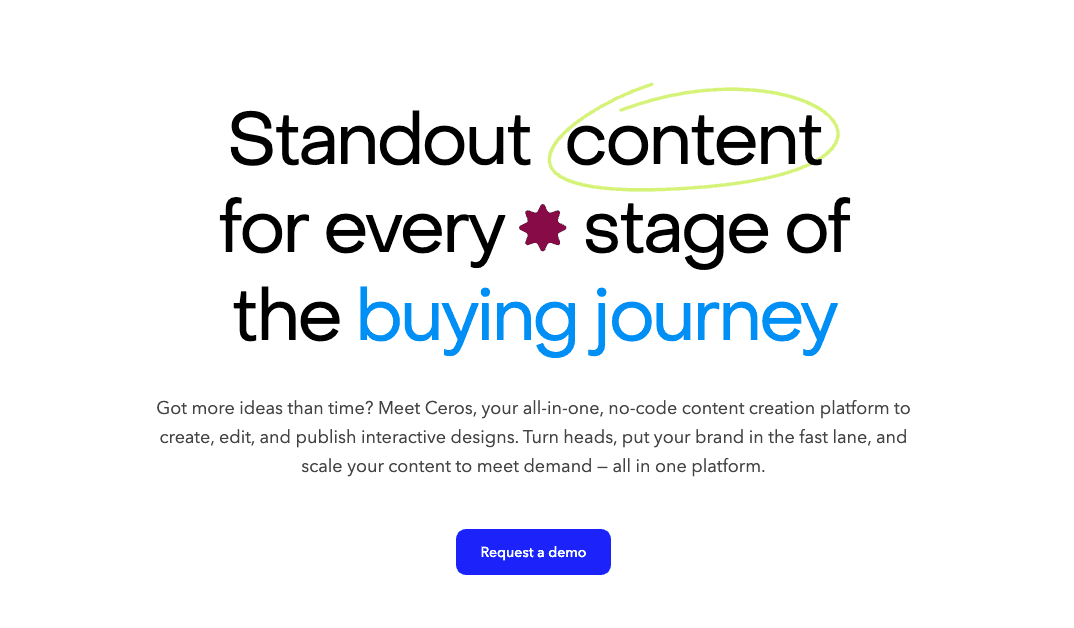
Image Source: Ceros
Ceros comes packed with features that make creating interactive content as seamless as it gets. You can choose from hundreds of templates or take advantage of the platform’s intuitive drag-and-drop functionality.
Getting started is easy.
Start with the static content you're already creating, then bring it to life by adding interactive elements like buttons, videos, and animations.
Here’s how one user described what Ceros does:
“We used Ceros to create an interactive data visualization page for our readers to better understand and work with the original data we collected for an event. With Ceros, there are quite a few benefits in comparison to stagnant design, such as being able to present more information in a seemingly smaller place.”
Ceros is best for
Web-savvy professionals like marketers, content creators, designers, social media pros, and developers looking to enhance their content's impact and reach.
Top Ceros features
Studio: A creative workspace where you can bring your ideas to life, creating engaging, interactive designs from scratch. Plus, you can transform your most effective assets into reusable templates, streamlining your content creation across all your programs.
Editor: Designed to help you adapt existing content or repurpose proven B2B interactive content in minutes, not weeks, Editor’s intuitive interface empowers everyone on your team to create high-quality content. Even non-designers. 🙃
MarkUp: This real-time collaboration tool ensures everyone's on the same page by
centralizing feedback, eliminating lost changes and overlooked edits. Upload a file or URL, add your comments, and share with your team – it's that simple.
Real-time analytics: Stay informed about your content's performance and get insights into what resonates with your audience.
Ceros pricing
Ceros has an on-demand pricing structure.
However, you can get a test drive to see how it works when you request a demo.
Ceros pros and cons (according to G2 reviews)
People are having a blast using Ceros. Here’s what they have to say about it.
Pros:
It’s a platform for building interactive elements without knowing how to code.
Fantastic customization options for interactive elements.
Easy to use for non-developers.
Tool #2: ThingLink
Creating unique experiences with a high level of customization from both PCs and mobile devices.
That’s what ThingLink is known for.
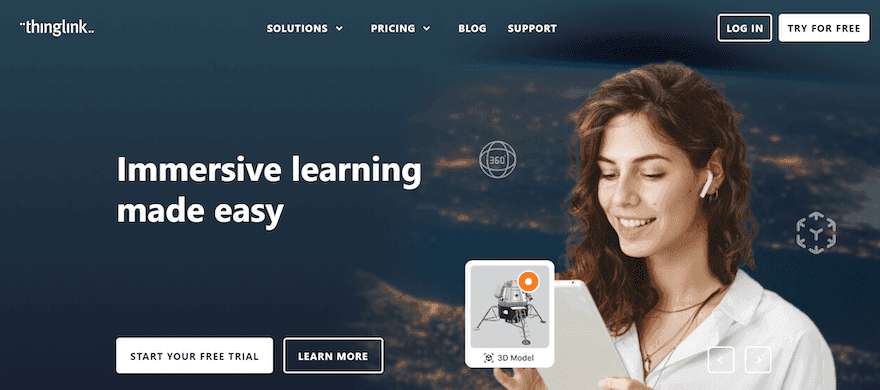
Image Source: ThingLink
It’s an interactive software where you can fuse interactive elements like 360-degree media, VR, interactive videos, etc. into your regular content by adding hotspots that users can interact with.
Hosam, a people analytics manager, says ThingLink allows him to create engaging visual content and resources that effectively educate and explain technical features and concepts.
Another ThingLink user Tracy-Ann, a teacher, says it helped her create content her students could interact with.
Overall, ThingLink, lets you make your marketing and learning materials more memorable and engaging for users, giving them immersive content experiences. On any device. Regardless of what field you’re in.
ThingLink is best for
Marketers, teachers, small business owners, and eCommerce gurus who want to improve their engagement and user learning experience.
Top ThingLink features
Pre-built templates so you can save time when building interactive content.
Scenario builder to help you replicate real-life scenarios in learning experiences using interactive media.
Multimedia editor for image labeling, creating VR experiences, interactive maps, etc.
Analytics to track engagement rate and collect feedback.
ThingLink pricing
ThingLink has multiple pricing options depending on what industry you’re in.
For folks in education, you get a 60-day free trial with the paid version starting at $3 per year.
If you’re in marketing, communications, or the corporate world, you get a one-week trial and a paid subscription starting at $41 per month.
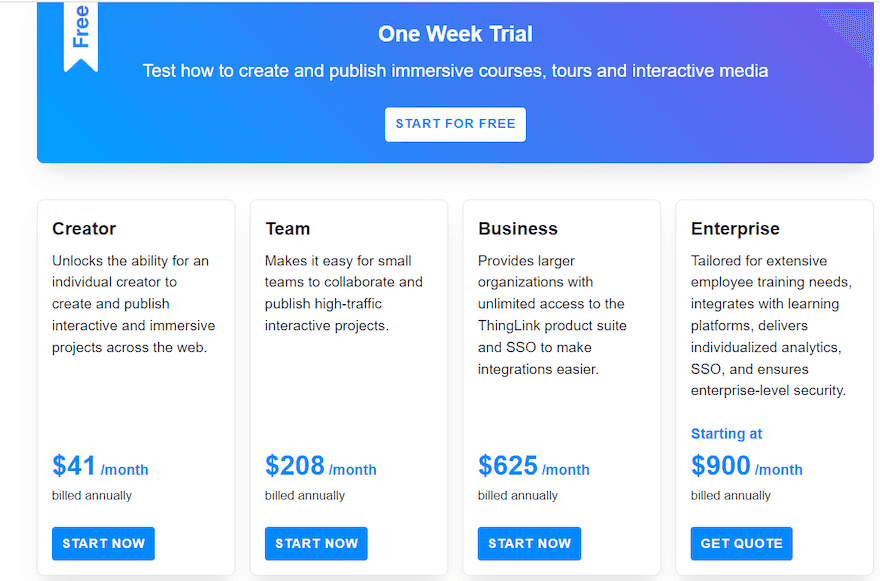
Image Source: ThingLink
ThingLink pros and cons (according to G2 reviews)
Here are some things users love and dislike about this tool…
Pros:
The app is cloud-based.
You can make an interactive image out of any kind of image.
ThingLink is very easy to use.
Cons:
The size of embedded content on mobile devices is a lot.
There ar no advanced AI capabilities.
Visitors have to register to collaborate and get creative.
Tool #3: Apester
Apester is like that one friend who’s your personal how-to guru.
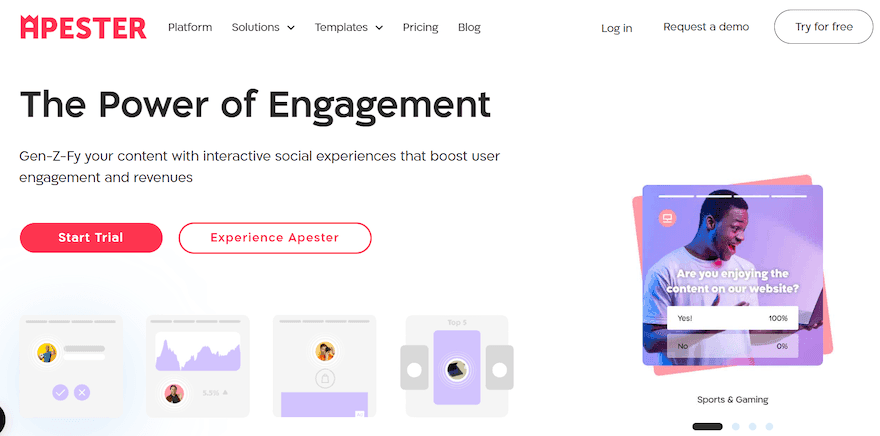
Image Source: Apester
With Apester, you can design interactive experiences that people would love, using elements like surveys, interactive forms, quizzes, etc.
But that’s not all ‘the guru’ can do.
The team understands that interactive content is delicate. It’s not like static content people can just share and move on from.
Apester has a sharing feature that allows you to share interactive experiences in one piece so it has the same style across the board.
You can also integrate it with your favorite marketing tools, so it’s easy to collect data from users, manage your contacts, and send personalized messages.
Apester is best for
Tech, commerce, entertainment, and finance industries looking to improve user interactions on their platforms.
Top Apester features
Apester’s studio where interactive content is forged using drag-and-drop functionality.
Templates, so you have a starting point when designing experiences.
Experience player for sharing interactive content with ease.
Data collection and analysis so you can listen to your customers and audience in real time.
Apester pricing
Apester has a free plan that’s valid until you have about 40,000 page views.
That’s enough grace to decide if you want to go pro with their paid version which starts at $99 per month.
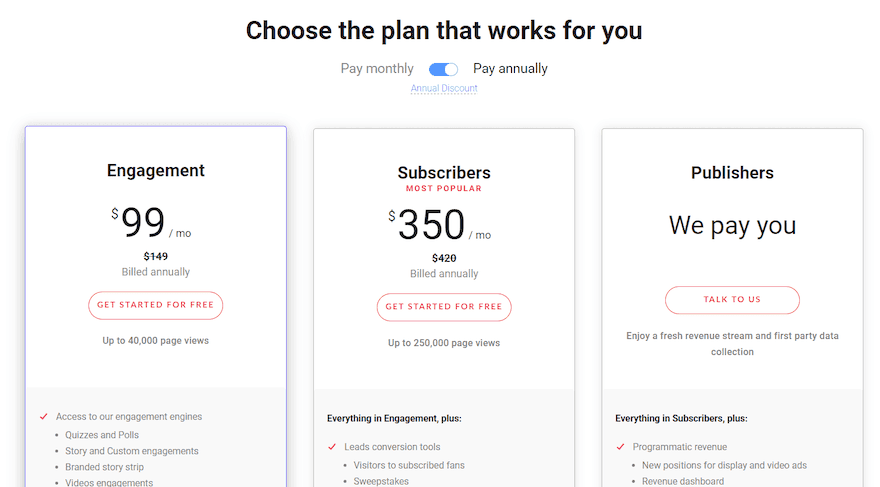
Image Source: Apester
Apester pros and cons (according to G2 reviews)
So, what are users saying about Apester?
Let’s find out.
Pros:
The editor has a cool UX.
Apester is super easy to use.
Cons:
Takes a while to get the hang of Apester.
The web app has limited features.
Tool #4: SurveyMonkey
SurveyMonkey is one of the OGs in the content marketing industry. It’s been around for a while now.
With that wealth of experience under its belt, you can be sure of one thing:
It’s got some tricks up its sleeves for capturing people’s attention.
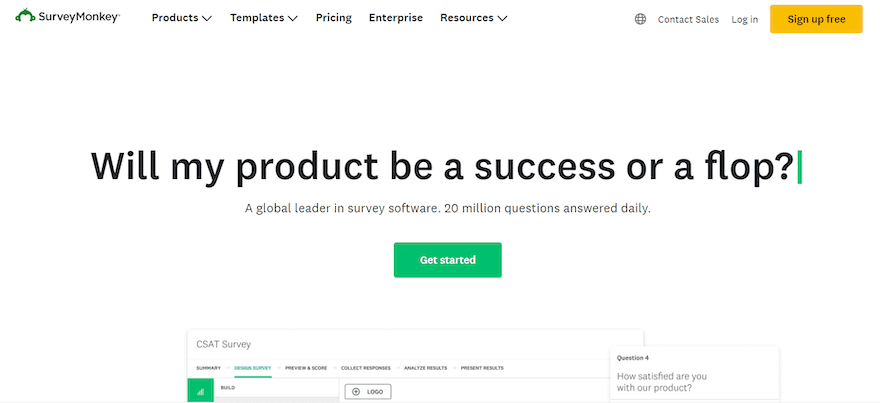
So, how does SurveyMonkey deal with attention-grabbing?
By helping users create interactive surveys, tests, and quizzes. That’s what it does best.
You get customers to engage with your content without really doing so much – the main job you have to do is to decide on the questions to ask in your survey or quizzes.
And you’re good to go.
The team knew users may have difficulty coming up with questions. So they added pre-built surveys people can start with.
Cool stuff, right?
SurveyMonkey is best for
Brand marketers, user researchers, product marketers, CRM admins, and demand generation managers who need to collect user feedback and boost interactions.
Top SurveyMonkey features
Pre-made templates to make it easy for you to get started.
Reporting and analytics for visualizing and analyzing data.
Data exporting so you can get reports in different file formats like .pdf, .csv, or .xsl.
Collaboration tools to help your team work together more efficiently.
SurveyMonkey pricing
This tool has a get-down-to-business approach, with its paid plans starting at $25 per user per month.
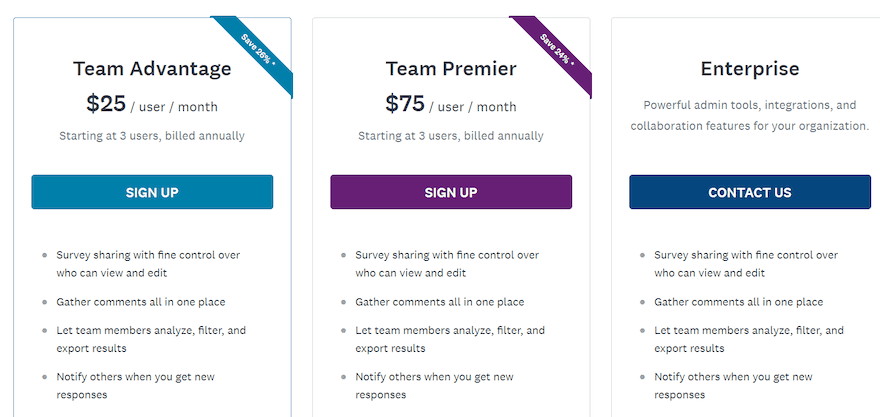
Image Source: SurveyMonkey
SurveyMonkey pros and cons (according to G2 reviews)
Do people love SurveyMonkey? Only one way to find out:
Pros:
SurveyMonkey has useful integrations.
It’s a useful tool for anyone new to creating surveys.
It has good customization options, templates, and sharing features.
Cons:
Their customer support isn’t always helpful when you reach out.
Only two devices can be logged in at the same time.
Changing your survey’s background can be difficult.
Tool #5: Mapme
You’re looking to embed a map on your website but don’t wanna use Google Maps.
“It’s too basic,” you say.
You want something engaging and fun that people can interact with.
That’s where Mapme comes in.
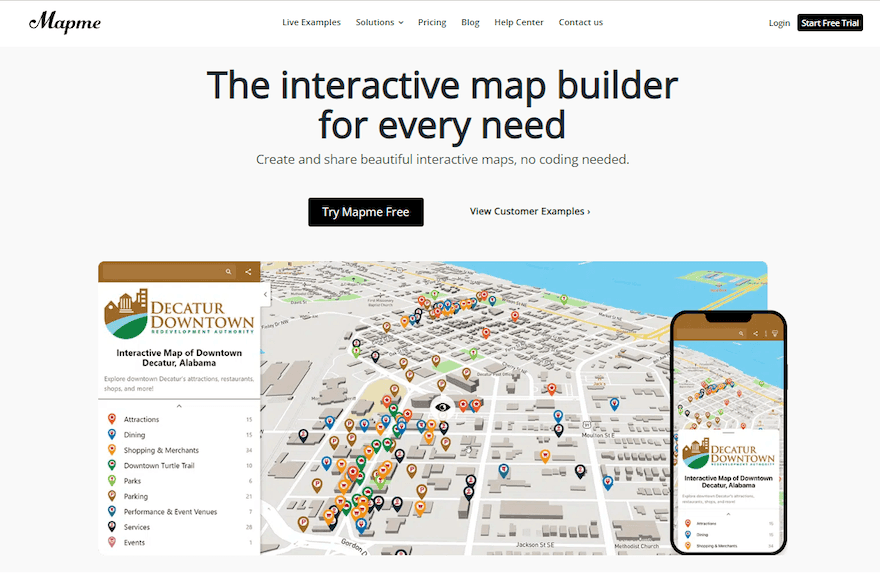
Image Source: Mapme
It’s an interactive toolkit for creating interactive maps. With Mapme, you can customize your maps with images, videos, branding, audio, etc.
You can also integrate it with tools like Matterport so your audience can get a 3D and VR experience of the map.
That’s what Mudgha loved about Mapme. According to her, “The ease to add media, another location near my properties, and 360-degree views are awesome.”
So, what else does Mapme offer?
You can draw lines to show routes on your map, design shapes that highlight areas on the map, and make the map look the way you want it to.
Mapme is best for
Marketers, non-profit organizations, and real estate professionals who want users to have an immersive description of their location.
Top Mapme features
Seamless integrations with third-party apps so you can embed, share, and improve the map’s outlook.
Data import for adding data and user-generated content to your maps in real-time.
Analytics and reporting tools to track the map’s performance.
Mapme pricing
Mapme offers a seven-day free trial to all new users. If you decide to take it a step further, its paid plans start at $24 per month.
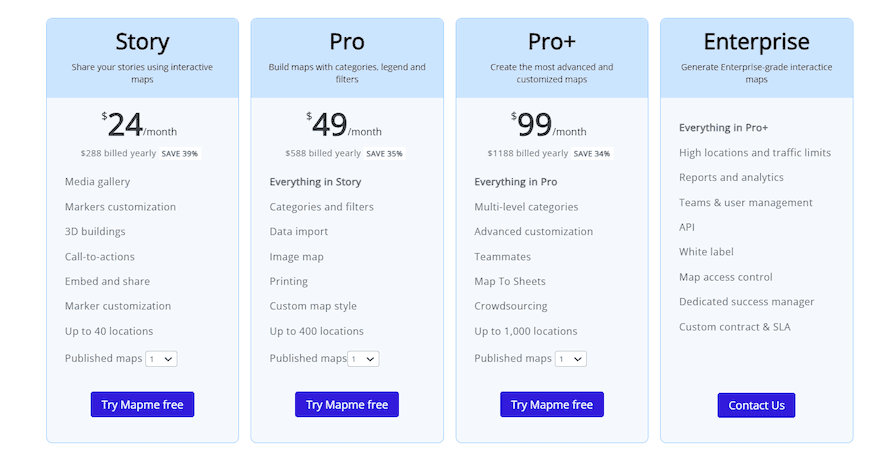
Image Source: Mapme
Mapme pros and cons (according to G2 reviews)
Here’s what people are saying about Mapme.
Pros:
It has a very user-friendly interface.
You can easily customize map designs to fit your style.
Embedding maps to a site is a simple process
Cons:
Mapme’s website lags sometimes.
Finding accurate positions of places can be difficult.
It doesn’t run in the background.
Tool #6: Outgrow
How are people describing this tool?
They’re calling it a game-changer for interactive content.
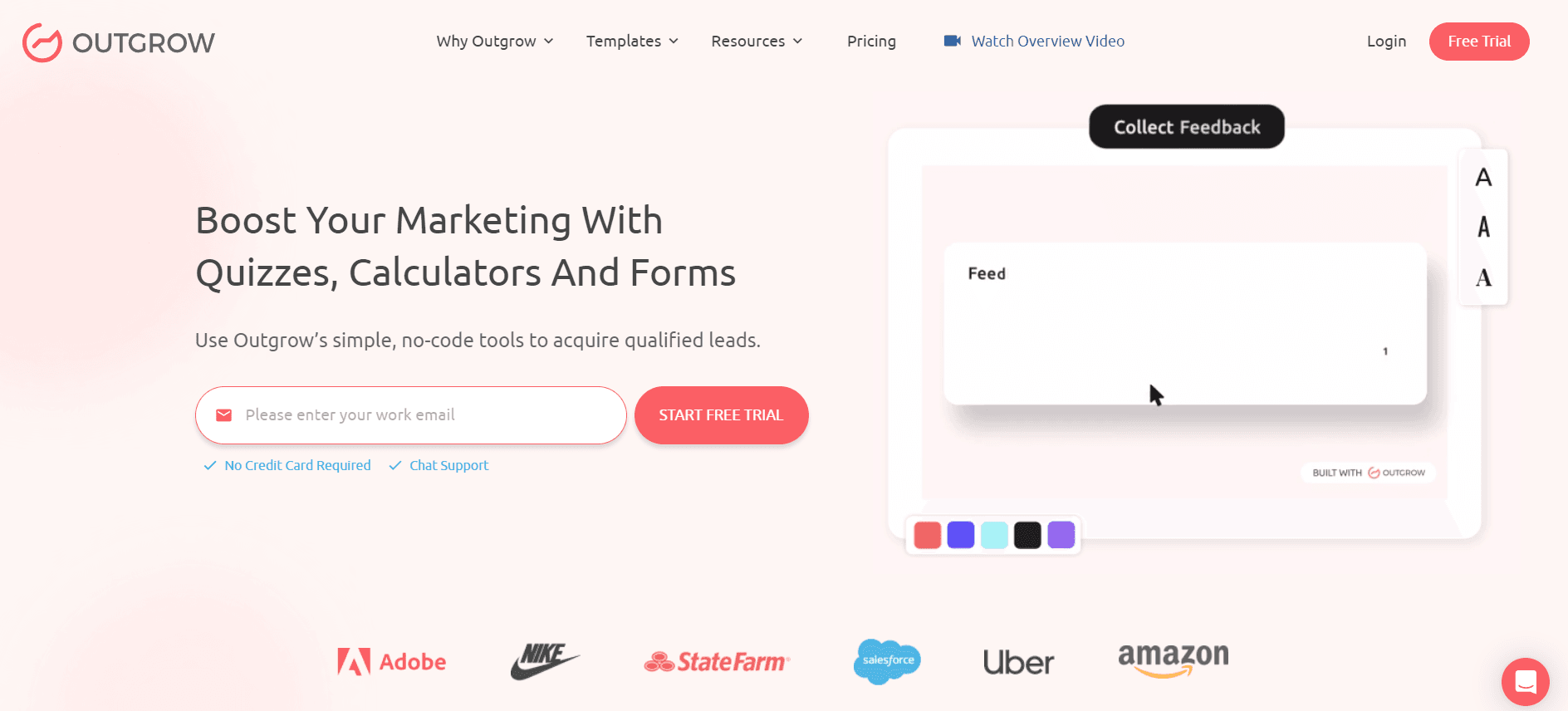
Image Source: Outgrow
Why?
Because with Outgrow, you can create a wide range of interactive content.
We’re talking quizzes. Calculators. Chatbots. Forms. Surveys. And more.
Basically, any kind of content that can help increase conversion and engagement rates.
This tool also lets you publish them to any platform of choice. Whether it’s your webpage or social media feed.
For Mads Knudsen, a small business owner, Outgrow not only simplified the process of creating interactive content but has also opened new avenues for audience engagement and data-driven decision-making.
Outgrow is best for
Digital marketers, operations managers, web designers, small business owners, etc. that want to increase their conversion rates.
Top Outgrow features
Branded design to customize designs to your brand’s guidelines.
Intelligent analytics and data integration for securing customer insights.
Smart builder to help you craft questions for quizzes and forms.
Integration with third-party apps like MailChimp, HubSpot, Google Sheets, Salesforce, etc.
Outgrow pricing
This interactive tool has two pricing categories: Popular and Custom plans.
The Popular tier comes with a 7-day free trial and paid versions starting at $14 per month.
Custom also offers a free plan alongside paid subscriptions that begin at $55 per month.
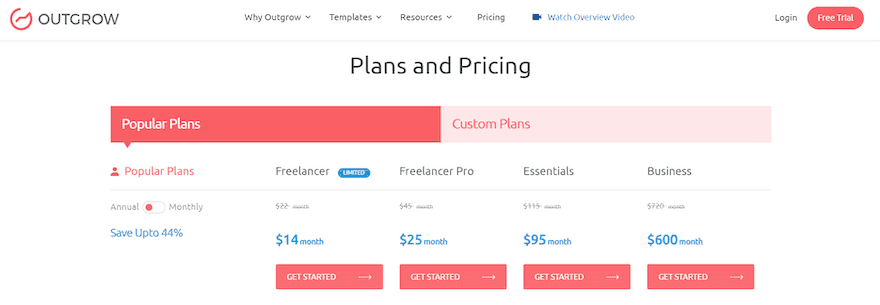
Image Source: Outgrow
Outgrow pros and cons (according to G2 reviews)
Let’s see what users are saying about Outgrow.
Pros:
Impressive level of customization and branding.
Robust reporting features.
Cons:
Pre-made templates aren’t always as attractive.
Setting up segmentation on Outgrow is difficult.
A/B testing and other lead generation features could be better.
Tool #7: involve.me
Do you want your customers and target audience to be more involved in marketing campaigns?
Then, involve.me is a tool to have in your stack.
It’s a digital solution for creating online quizzes, forms, surveys, and calculators. Essentially, features to keep them engaged.
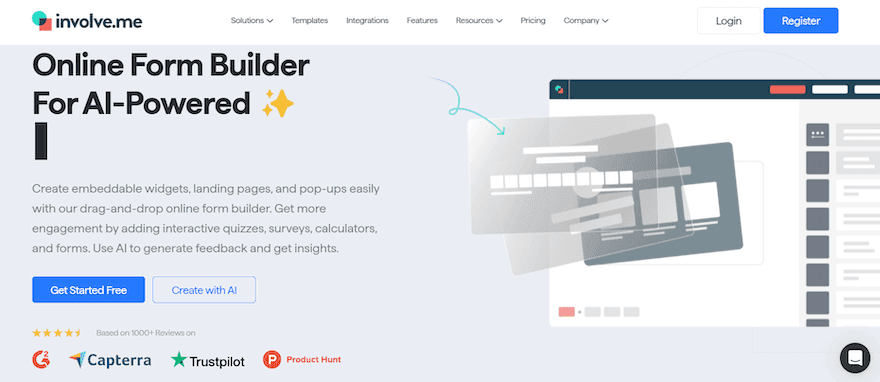
Image Source: involve.me
Think of it as your starter pack for interactive marketing, helping you design user experiences people want to see.
And that’s just the tip of the iceberg. 🧊
With involve.me, you get to build interactive content that can help you:
Generate leads
Grow your email list
Automate your sales processes, etc.
Now, here’s the best part about this tool:
It comes loaded with professional templates you can edit. So, if you don’t know where to begin, you can just pick a template and do your thing.
There’s also an AI assistant onboard the involve.me ship. It can help you create forms and other interactive content in minutes.
involve.me is best for
Marketing gurus who want to take their lead generation game to the next level.
Top involve.me features
AI-form generator for creating interactive content like forms, surveys, and quizzes in minutes.
Custom calculations to create formulas with conditional logic and functions.
Answer piping for personalizing follow-up questions.
Payment integrations so you can accept online payments on forms.
involve.me pricing
involve.me has both a free plan and a trial version. Its paid plan starts at $29 per month.
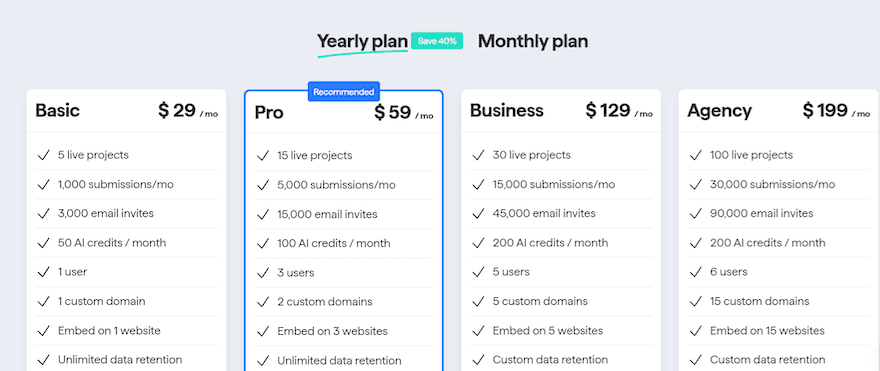
Image Source: involve.me
involve.me pros and cons (according to G2 reviews)
So, what do people love or hate about this solution?
Pros:
It has fantastic pre-made templates.
involve.me integrates well with CRMs.
Cons:
It takes a while to understand if you’re a newbie.
No access to clipboard history when setting up new buttons.
Tool #8: Ion
The brainchild of Rockcontent, Ion is known across digital borders for one thing:
Helping you engage buyers with interactive content and capturing their data so you can study them and understand what it’ll take to convert them into customers.
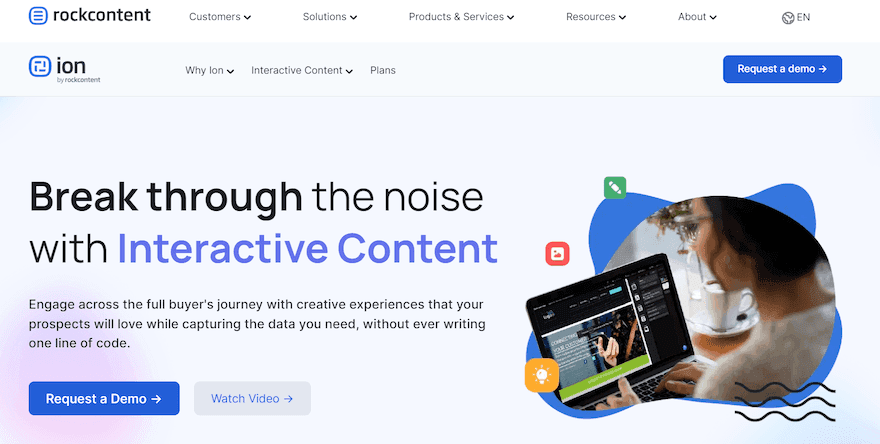
Image Source: Rockcontent
So, what kind of content can you build with Ion?
A whole lot. Quizzes, assessments, ROI calculators, interactive infographics, videos, and more.
Here’s how Robert Nicholson, head of digital at Robert Walters, puts it, “Ion Interactive is capable of creating a wide variety of interactive content - and has a large library of templated approaches to this content. This allows you to create a wide selection of interactive content - everything from animated infographics to calculators and quizzes.”
Aside from creating interactive content, Ion helps you personalize the experience for your audience. You can change what they see based on their behavior or who they are.
Plus when you publish the content, you can track how people are engaging with it, so you can make quick decisions about your marketing strategy.
Ion is best for
Digital marketers, product managers, business owners, and the IT industry that want to capture user data and improve sales.
Top Ion features
Creative studio where interactive experiences are forged.
Integrated A/B testing to help determine which content people love so you can scale.
Smart reporting to get detailed insights on people consuming your content, how they’re consuming it, etc.
Integration with external tools like HubSpot, Salesforce, and Eloqua to optimize your workflow.
Ion pricing
Ion offers three custom-priced plans — Growth, Pro, and Enterprise. You can request a demo if you’re curious about how it works.
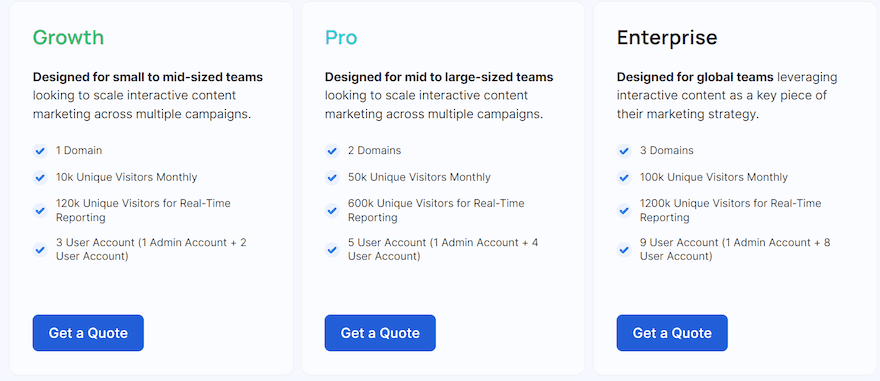
Image Source: Rockcontent
Ion pros and cons (according to G2 reviews)
What’s the word on the street about Ion? Let’s see.
Pros:
Simple management of the A/B testing feature.
It’s easy to customize and roll out multiple landing pages.
Ion has great customer service.
Cons:
You may need to research how to perform specific tasks.
Users might experience unexpected downtime.
It doesn’t have direct technical functionality for devs.
Tool #9: Foleon
Tired of creating SOPs, whitepapers, or documentation team members never read?
Want to see them excited when new docs are released?
Then, you should try Foleon. A tool that helps B2B brands create on-brand interactive content that’s scalable.
Image Source: Foleon
Say goodbye to the old content that drove your audience away.
Now, you can give readers exactly what they want.
Content that excites them. That they can interact with. And navigate at their speed.
That’s what Foleon user Matt experienced that made him say: “It takes away the monotony of a static design and allows you to create something much more engaging. So instead of just reading a PDF, your content consumers are engaging with a dynamic piece.”
So, how does Foleon work its magic?
By infusing your content with elements like background video, animated data visualization, parallax effects, and more.
This way, your readers are enticed to continue reading. They want to see what comes after they click Next.
Then by syncing Foleon with your CRM, you can see who has read what.
Foleon is best for
Content marketers, creative agencies, sales experts, customer support, etc. that want to produce intelligent but highly engaging content.
Top Foleon features
Content builder, the editor where you create interactive content.
Templates to help you get to work ASAP.
Collaboration so you can request reviews, organize content, and share assets with your team.
Analytics to track what type of interactive content works or doesn’t.
Foleon pricing
Foleon has a custom-based plan for everyone, from the upcoming startup to the long-standing enterprise.
You can request a demo to get the lowdown on how they do things.
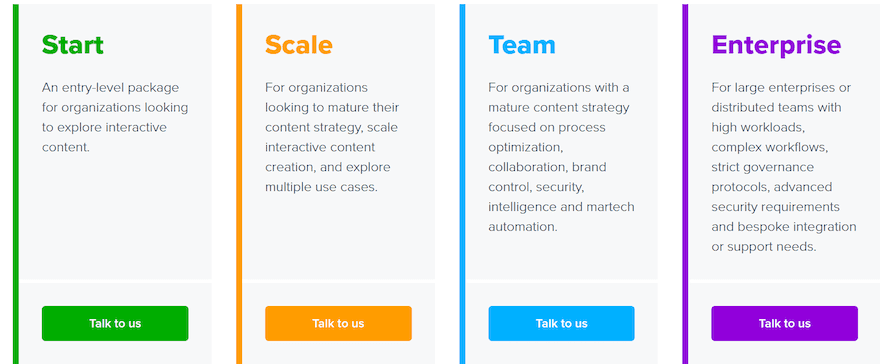
Image Source: Foleon
Foleon pros and cons (according to G2 reviews)
Want to know what people are saying about Foleon? Find out here…
Pros:
Foleon has great customer support service.
It’s easy to use.
Impressive array of building blocks when you’re getting started.
Cons:
It has limited tools and features that can make it unique.
The tool lags when working on multiple media assets.
Viewing Foleon’s content on mobile apps doesn’t look so great.
Tool #10: Riddle (formerly known as Qzzr)
I am something. I can help engage your customers and improve conversion rates. But, I ask questions first. What am I?
Ladies and gentlemen, meet Riddle.
Image Source: Riddle
While the tool is popularly known for making quizzes, it has lots of tricks up its sleeves. You can also use it to:
Create surveys
Build contests and giveaways
Set up audience polls
Design online forms
…and more.
Essentially, it can help you create content that’ll entice users to spend more time on your site.
Riddle is best for
Brands and agencies, product managers, content creators, and marketers who want to give their customers a more engaging experience.
Top Riddle features
Templates so you don’t have to start creating quizzes from scratch.
Collaboration to invite the team to contribute and organize the project.
Analytics for tracking and retargeting conversions.
Integrations with marketing apps so you can follow up on your leads.
Riddle pricing
Riddle has a 14-day free trial where you can try the full Riddle experience. Their paid plans start at $59 per month.
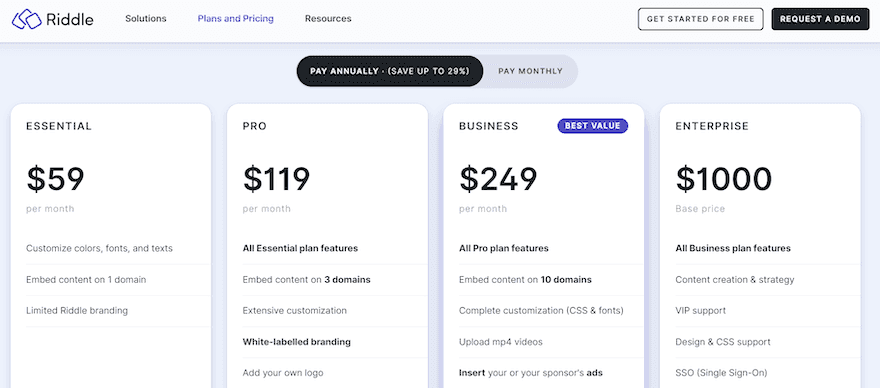
Image Source: Riddle
Riddle pros and cons (according to G2 reviews)
From the ease of creating surveys to the challenge of customizing quiz covers, here’s what users are saying about Riddle.
Pros:
It’s easy to make surveys.
Quizzes on this tool have a lot of customization options.
They’ve got amazing customer support.
Cons:
Limited bespoke templates to start with.
Users may find it difficult to add images to the cover of their quiz.
Over to you
That’s it, folks! We’ve come to the end of the list. It was an interesting ride, wasn’t it?
So, which tool are you going with?
Well, you want to go with a tool that’s easy to use. A tool that takes your audience beyond viewing content to experiencing it. A tool that’s like a partner to you.
A tool like *drumrolls please* 🥁…
Ceros.
It has everything you need to make creating interactive content a breeze.
Talk about a drag-and-drop editor, it’s got it.
No-code content creation and interactive design… ✅
Premade templates you can edit… ✅✅
So, what are you waiting for?
Book a demo with Ceros and start creating interactive content that will wow your audience.
![Visme alternatives: Which one is best for your brand? [2025]](/_next/image/?url=https%3A%2F%2Fimages.ctfassets.net%2F9fispija9xqh%2FwVr62e3smmnXWr5T6EKE0%2F8b3177253eb84a9aa310504a6c1c936c%2Ffd360e6f-1fe9-4a0c-bbec-378cb7b32178.png&w=3840&q=75)