What is content design? Definition, process, tools & more [2026]
![What is content design? Definition, process, tools & more [2026]](/_next/image/?url=https%3A%2F%2Fimages.ctfassets.net%2F9fispija9xqh%2F2DMk6RVDKT4qm1dh8oGoQx%2F5a6494afa7a80cdc6e46a2710c40e4b6%2F8a788ac3-6ad0-4d1e-a04c-d81c6aff4f6b.png&w=3840&q=75)
Getting attention is one thing, turning it into clicks is another. Content design joins research, strategy, and execution to bridge that gap. Here's what it is, how the process works, how AI is changing it, and the tools to use.
BY Mary Mattingly
April 30th 2026 – 7 min read
DESIGN


What is content design? Definition, process, tools & more [2026]
After all the effort you put into capturing people’s attention, they’re finally starting to show interest in your product.
That’s a great thing. But it raises another important question:
How do you turn that interest into ongoing engagement — and get people to actually click your call to action?
The answer is content design.
It’s not a buzzword. Content design is a distinct discipline within product development that fuses research, strategy, and execution to create experiences that take users from attention to conversion. And in a landscape where everyone is producing more content than ever, the teams that get this right are the ones that win.
This guide is a deep dive into everything you need to know:
What content design is and where it came from
Why it’s worth your time
What the content design process actually looks like
How artificial intelligence is transforming content design by improving efficiency, scaling, and quality
Content design plays a crucial role in shaping digital products, ensuring they are user-centered, accessible, and effective.
Clear communication is central to effective content design, enabling users to understand and achieve their goals across every touchpoint.
Let’s get into it.
What is content design?
Content design is the process of planning and providing your audience with the content they need, using research and data about who they are and what they’re trying to accomplish. User-centered content is at the heart of content design, ensuring that every piece of digital content prioritizes the needs, tasks, and understanding of users to improve their interaction with digital products. It’s central to creating user-centered experiences — ensuring that interfaces, support pages, and multi-step flows are intuitive and effective.
Izabella Naessa, a digital business professional and change management lead at Chalhoub Group, puts it plainly:
“It’s about ensuring that the content serves its purpose and meets the needs of the target audience.”
Your target users are at the center of content design. Before your brand gets anything out of it, you need to answer three questions:
What do your users need?
When do they need it?
What format do they want it in?
That last one matters more than most teams realize. Content design isn’t traditional content creation, where traffic volume is the headline metric. Good content design involves systems thinking and scalable solutions, helping users solve real problems — and then introducing your brand as the solution.
Content in this context can be anything: an article, a calculator, a guided interactive experience, a checkout flow. The format is a design decision, not an afterthought. Systems thinking ensures that content is structured to work across different environments, such as various platforms or systems, making it flexible and scalable.
Here’s a concrete example. Say you run a subscription service and when users add on extras, those add-ons never appear on their invoice. Customers only find out if they call support. A content designer doesn’t just rewrite the confirmation email — they look at the entire checkout experience, identify where the breakdown is happening, and redesign the flow to surface the right information at the right moment. The fix might be copy, visuals, CTAs, or a structural change to the page itself. Usually it’s some combination of all of them.
How did content design evolve?
Sarah Winters, founder of Content Design London, and her work for the UK Government in 2010. Her team was tasked with shutting down around 551 government websites — and figuring out which content actually needed to survive.
The core challenge wasn’t technical. It was philosophical.
“We needed to move the civil service from publishing what [the] government wanted to say to what citizens needed to read.”
By 2014, the term “content design” had been coined. The process Winters and her team developed — using data and evidence to prioritize user needs, then defining, testing, and iterating on content formats — became the foundation of the discipline.
“This iterative way of working was more like a design process than the content process [the] government was used to.”
Worth noting: content professionals had been using similar approaches before the term existed. UX writing, for example, has been around since the 90s. But content design formalized the practice and gave it a name. Over time, content roles have evolved significantly, with many content designers starting out as copywriters, web editors, or content managers to build the diverse skills needed for the field.
What’s the difference between content design and UX writing?
UX writing is focused on copywriting (text) for a product, website, or app so users can interact with it properly. An example is what you read on our homepage They’re related, but not interchangeable.
UX writing is focused on the words inside a product — button labels, error messages, onboarding flows, tooltips. A UX writer’s job is to make an interface legible and navigable through copy. The job title is still widely used across the industry.
Content design operates at a higher level. Where a UX writer asks “what should this say?”, a content designer asks “what should this be?” — and “does this content need to exist at all?” Content design covers broader strategic planning, information architecture, and the full shape of the user journey, not just the microcopy. Content designer roles typically require qualifications such as a background in design, communications, or related fields, along with experience in user research, content strategy, and strong collaboration skills. tells you what we do.
Why is content design important?
Users have options. If your content makes them work hard to find what they need, they won’t — they’ll go to a competitor who makes it easier.
Content design helps answer the questions users actually have, in the format they’re most likely to engage with. Jas Deogan, former head of content design at giffgaff, identifies three core benefits:
Improved user experience. When content is organized around user intent — not organizational structure — people can navigate faster and with less friction.
Increased engagement. Content that’s genuinely useful keeps people around longer, increases dwell time, and improves the odds of converting a visitor into a customer. Engaging online users through effective content design is essential for capturing attention and driving interaction in today’s digital landscape.
Trust and conversions. Consistent, helpful content builds credibility over time. Your website is a key platform for building credibility and user trust. Research shows 88% of buyers will make a purchase from a brand they trust — and content design is one of the most reliable ways to earn that trust.
As Caitlin Gebhard, senior content strategist at BORN Group puts it:
“Content design helps shape the relationship you have with your audience. What you say and how you say it can easily build trust and respect — or alienate the people you are trying to reach.”
Content design also thinks in systems. It ensures that content architecture and information flows are cohesive and scalable — not just good individual pieces, but a coherent experience across every touchpoint.
What does a content designer do?
A content designer’s job is to create data-backed experiences that are engaging and meaningful for users. The specific title varies — some organizations use “Content Designer,” others “UX Writer” or “Content Strategist” — but the core responsibilities are consistent.
In larger teams, a senior content designer often operates across research, writing, information architecture, tone of voice, localization, and cross-team collaboration. They understand:
- Users’ pain points through research
- What solutions users need through collaboration with product and subject matter experts
- Brand voice and audience preferences, so they can communicate clearly
- The value of graphic design and web developer expertise as part of a cross-functional team
Here’s what a day in the life actually looks like:
Research. Content designers don’t start with a blank page — they start with evidence. Sarah Winters is direct about this: “Content designers generally don’t move without research. There has to be data and evidence of what the audience wants and needs.”
Ideation and creation. Working with product designers, UX professionals, and content marketers, content designers determine the best format for the user’s need — then build it. Generating original ideas and using images to support the design process are essential. This means thinking about content format, language, tone, information architecture, and content strategy together, not in sequence.
Revision and iteration. Content design is a loop, not a line. Feedback from colleagues and users shapes what gets kept, what gets cut, and what gets rethought.
Mapping user journeys. Content designers analyze the full flow of user interactions — the sequence of actions, the information needed at each step, and where gaps or friction exist — to ensure the experience holds together end to end.
What is the content design process?
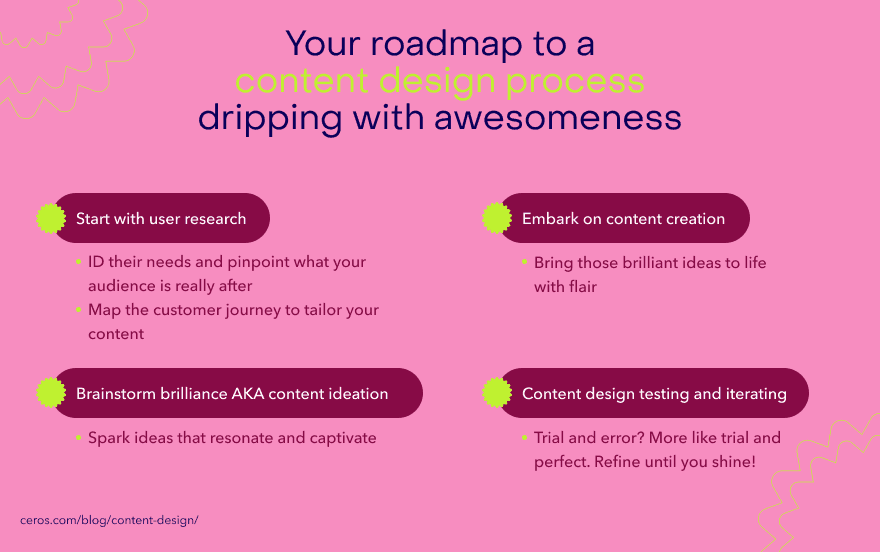
The goal of content design is to create great experiences for users at every touchpoint. As content roles continue to evolve—encompassing everything from writing and editing to strategic design and system thinking—teams must also focus on developing new skills through ongoing learning and training to stay effective and innovative. Getting there requires a process — one rooted in design thinking and grounded in real user data.
Here’s how it works:
User research
Research is where everything starts. Content designers need to understand users' wants and needs, how they navigate a product, and where current content is failing them. No assumptions. No guesswork.
Identifying user needs
You need to know:
Who your users are
What they're trying to accomplish
How they've been trying to do it
Where they're getting stuck
Desk research — reviewing existing surveys, reports, and industry data — gives you a baseline. Usability research goes deeper.
Tools like Hotjar are particularly useful here. The Heatmap feature shows where users focus and click, revealing friction points in the journey. Session Recording lets you watch users move through your content in real time — mouse movements, clicks, scroll patterns, everything. To set up Hotjar Heatmaps:
Sign up and navigate to the Heatmap tool
Add the tracking code to your site
Enable Session Capture on your Hotjar Dashboard
Go to Heatmaps and click "New heatmap"
Enter the page URL and click "View heatmap"
For direct input, Hotjar's Survey tool lets you embed forms on your site to ask users about their needs and frustrations.
Customer journey mapping
Journey mapping documents every touchpoint a user interacts with — so content designers understand what information is needed, in what order, and at what point in the journey.
Sarah Winters describes it well: "Customer journey mapping lets us know what the user's motivation is when they come to our content, how much information they can take in on the journey, how much work it is for the user to get to a result, and what information they need exactly at what point."
To build a customer journey map:
Define your objective.
What are you trying to improve — conversion, satisfaction, retention?
Collect information.
Use research methods above to build a picture of your users and their motivations.
Identify touchpoints.
Where are users interacting with your content or product?
Outline journey stages.
Map the steps users take from entry to outcome.
Start mapping.
Create a visual representation of the journey — stages, touchpoints, and user emotions at each intersection.
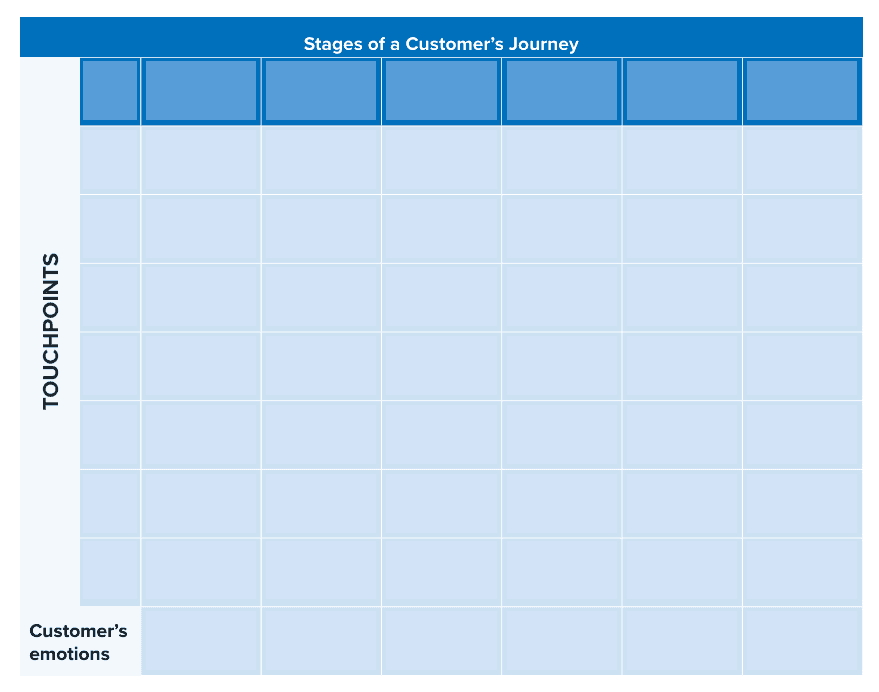
Image Source: Mindtools
Each intersection of the stage and touchpoint should indicate what users saw or did and how they felt.
Content ideation
With research complete, the team moves to ideation — determining the best content solution for the identified user need. This is a collaborative process that spans customer service, marketing, product, finance, and subject matter experts.
The questions to answer: what format will have the most impact? What's the right channel? What language and tone serve this audience? What does the content need to do for the user?
Original thinking matters here. The best content design decisions aren't just competent — they're distinctive.
Content creation
Now research and strategy become something real.
Content design isn’t just writing copy. It’s creating whatever the user needs — calculators, interactive experiences, guided flows, visual explainers, posters. The format follows the need. For visual explainers or interactive content, prompts like 'view image' can be used to encourage users to interact with visual elements, making the experience more engaging.
For interactive content, Ceros is built for exactly this. It lets designers — with or without a coding background — create rich interactive experiences from customizable templates, without an engineering handoff. When your research points to interactivity as the right format (and it often will), Ceros closes the gap between the content design decision and the live experience, making it easier to adopt interactive content across your organization.
Content design testing and iterating
Publish isn't the finish line. The process continues.
Test whether users are responding the way you expected. Learn what's working and what isn't. Apply those learnings. As Winters puts it: "No point doing any research, testing, or looking at data if we don't learn, apply, and move on."
Collaborate with UI designers to build prototypes. Use behavioral analytics and user research tools to monitor engagement. Keep iterating until the experience is genuinely exceptional.
Content design best practices
Ever visited a website only to leave almost immediately because it had a poor content structure and couldn’t find what you needed?
It can be frustrating. But, what if you could design content that not only attracts but also engages and converts?
Here are some best practices to help you achieve that:
Keep the message simple
34.6% of users say they'll leave a site if it has a bad content structure. Dense, jargon-heavy content doesn't signal expertise — it signals a lack of empathy for the reader.
Tips for keeping it simple:
Use the language your audience actually uses
Write in short sentences and paragraphs; use formatting (bold, bullets, subheads) to aid scanning
Replace technical jargon with plain alternatives
Collaborate with cross-departmental teams
Content design is a team sport. Build in collaboration with product designers, product managers, UX engineers, UX writers, developers, and customer support. Each function sees a different piece of the user's experience — and the gaps between them are where content problems tend to live.
MarkUp is useful here, letting teams give and receive real-time feedback on design files and content directly.
Stay on brand
User needs come first — but the experience still needs to feel like yours. As Alexa Chaney of Healthy Dash of Social notes: "When your branding is consistent, customers know what to expect from you. It also leads to stronger brand recognition and higher company value."
Define your brand voice, tone, and visual style guide
Create reusable templates to maintain consistency across channels
Create relevant content and be consistent
Every piece of content should trace back to a user need surfaced in research. Anything else is noise.
And consistency matters across channels — users should feel the same coherence whether they encounter your brand through a blog post, a product page, or a social post. Fractured experiences erode trust. Cohesive ones build it.
What are the challenges of content design?
Like most good things in life, there’s usually a catch, and content design is no exception.
On one hand, it’s a great content strategy for turning visitors into loyal customers. However, the road to that path comes with obstacles such as:
Understanding user needs
– We’ve shown you how to identify user’s needs. But the part we didn’t cover was how it can be tiring and time-consuming, especially when you’re dealing with a diverse audience.
You have to interview several users to understand their preferences and needs then analyze and brainstorm with other professionals to generate befitting content ideas. It’s a lot.
Our advice? Get more hands to join in user research or collaborate with marketing and UX design professionals.
Balancing user and business goals
–
Content design is all about the user’s needs
has been a key design principle in this guide. However, sometimes what users want isn’t always in sync with business needs.
For instance, your brand is in a phase where generating sales is a priority while users are raving about getting a response from customer care.
Now, they’re both important but balancing them can be challenging. In a case like this, just remember that happy customers can go above and beyond for you. So, while it may make more sense to launch a full-blown marketing campaign that meets your needs, prioritizing them will help your reputation in the long run.
Ensuring consistency
– If you have a large organization with multiple departments, being consistent across the board can be difficult. That’s what gov.uk experienced before Sarah Winters’ breakthrough. There were just so many moving parts and unwritten rules that prevented consistency in the government’s site.
But by having a marketing team, speaking to team leads in different departments, and being determined, she turned things around.
Collaboration and getting everyone on the same page help ensure consistency.
Measuring effectiveness
– After all your hard work, you want to know if your efforts are paying off. But it is also a lot of work. You have to gather user feedback, analyze, and interpret.
The way out here is to collaborate and leverage digital tools like Hotjar so you’re not overwhelmed.
And now, for the last lap of this guide, let’s go over some tools that can streamline your content design workflow.
How AI is changing content design
AI is reshaping how content gets made — and the implications for content design are significant.
The volume potential is real. Content that used to take days can now be drafted in hours. But more content doesn't automatically mean better content design. When anyone can generate copy quickly, the differentiator isn't production capacity — it's judgment. Who understands the user deeply enough to know what should be made, in what format, with what message, for what moment?
That's content design. And it's not something AI can replicate on its own.
Here's where AI genuinely strengthens content design practice:
Research synthesis.
AI tools can process large volumes of qualitative data — support tickets, user interviews, survey responses — far faster than any team. This compresses the research phase without sacrificing depth.
Content drafting.
AI-generated first drafts give content designers a faster starting point. The structure, tone, and format decisions — the ones that actually determine whether content works — still require human judgment.
Content auditing at scale.
AI can surface patterns across large content inventories: gaps in topic coverage, inconsistent terminology, pages losing search visibility. This makes systematic improvement tractable.
The teams winning in this environment aren't the ones using AI to generate the most content. They're the ones using AI to execute faster on strong content design thinking — keeping humans in control of the decisions that matter.
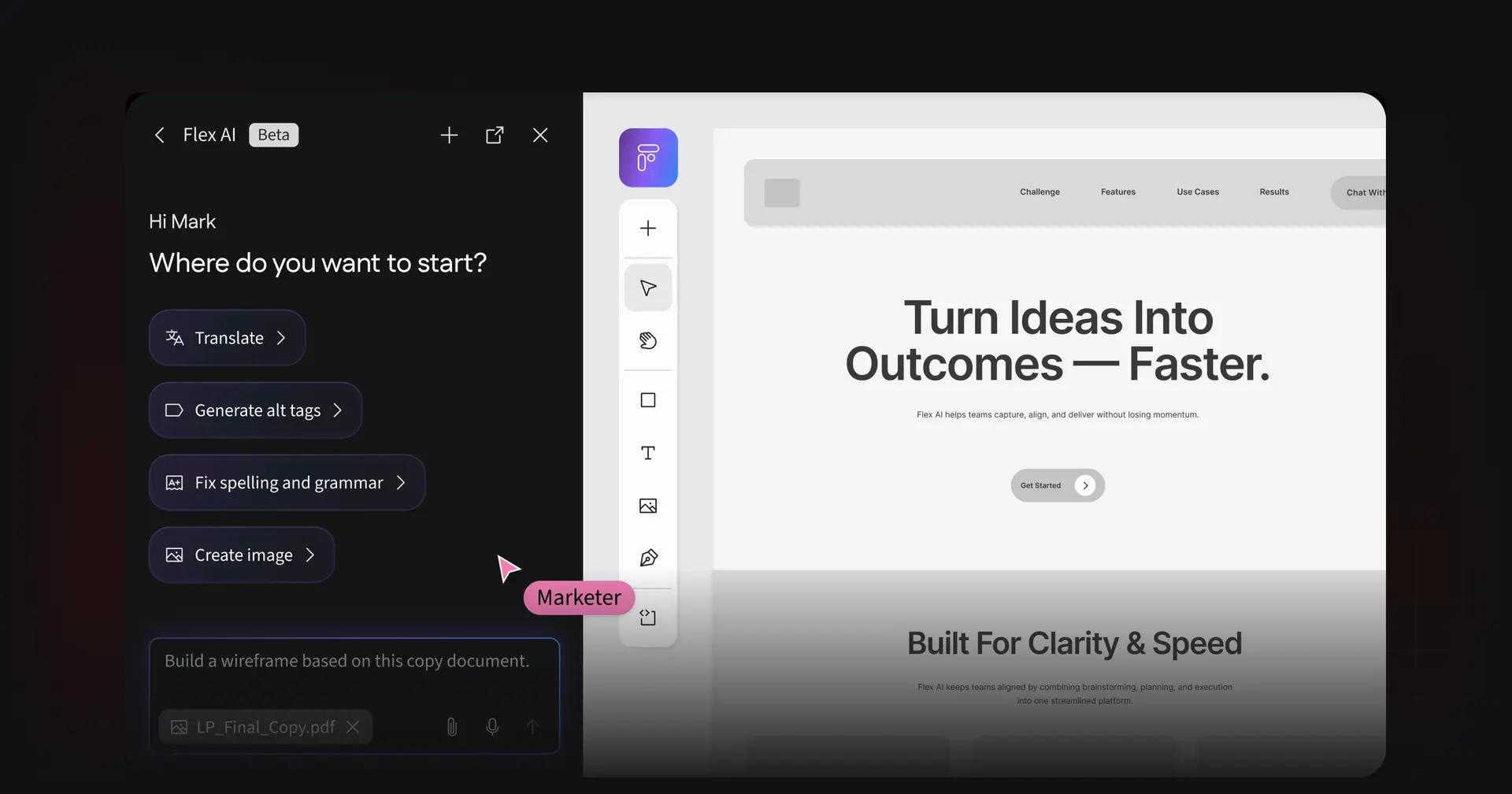
For teams building interactive content at scale, Ceros Flex AI is built for exactly this. AI that works within the design system rather than replacing it — so you can move from brief to polished interactive experience faster, without handing creative control to the machine, drawing on a wide library of interactive experience examples and templates.
What tools to use for content design?
Ceros — The platform for building interactive content experiences. When research points to interactivity as the right format — and it often does — Ceros is where content design decisions become live experiences. No code required, real-time collaboration built in, and Flex AI for teams working at scale. If you’re comparing tools, it’s worth understanding how Ceros stacks up against alternatives like Foleon.
Best for: Creating interactive content experiences without an engineering handoff. Pricing and packaging will depend on your team’s needs, so you’ll want to review the Ceros plans and pricing options.
Hotjar — User behavior analytics: heatmaps, session recordings, and surveys that show how users actually interact with your content. As you evaluate tools, looking at real-world customer stories of interactive content performance can help you understand the kinds of results to expect.
Best for: Understanding user pain points and identifying friction in the journey.
Maze — User research and prototype testing. Surveys, interviews, usability tests, and behavioral monitoring in one platform.
Best for: In-depth user research and testing content design decisions before they go live.
Hemingway Editor — Scans written content for complexity, passive voice, and readability issues.
Best for: Keeping copy clear and accessible.
Google Analytics 4 — Engagement data at scale: who's visiting, what they're doing, where they're dropping off.
Best for: Monitoring user engagement and optimizing content strategy.
Figma — The standard for collaborative design and prototyping. Content designers use it to wireframe content structures alongside visual designers.
Best for: Cross-functional collaboration on content structure and layout.
Frequently asked questions
FAQs for What is content design? Definition, process, tools & more [2026]
Ready to see what content design looks like in practice? Explore Ceros examples →
![14 tips on how to make a presentation interactive [2026]](/_next/image/?url=https%3A%2F%2Fimages.ctfassets.net%2F9fispija9xqh%2F72hn23E9CUBaRZ8dirlLMB%2F4eb4189f4e61ba9febedbc049e6390ce%2Fd29ba073-c342-471d-9f84-7d3b06ed4ba2.png&w=3840&q=75)